
For iPad and Apple Pencil
From sketch to massing.
Massketch turns an Apple Pencil stroke into 3D massing with area schedules, city context and export to Rhino. Test an idea in minutes.
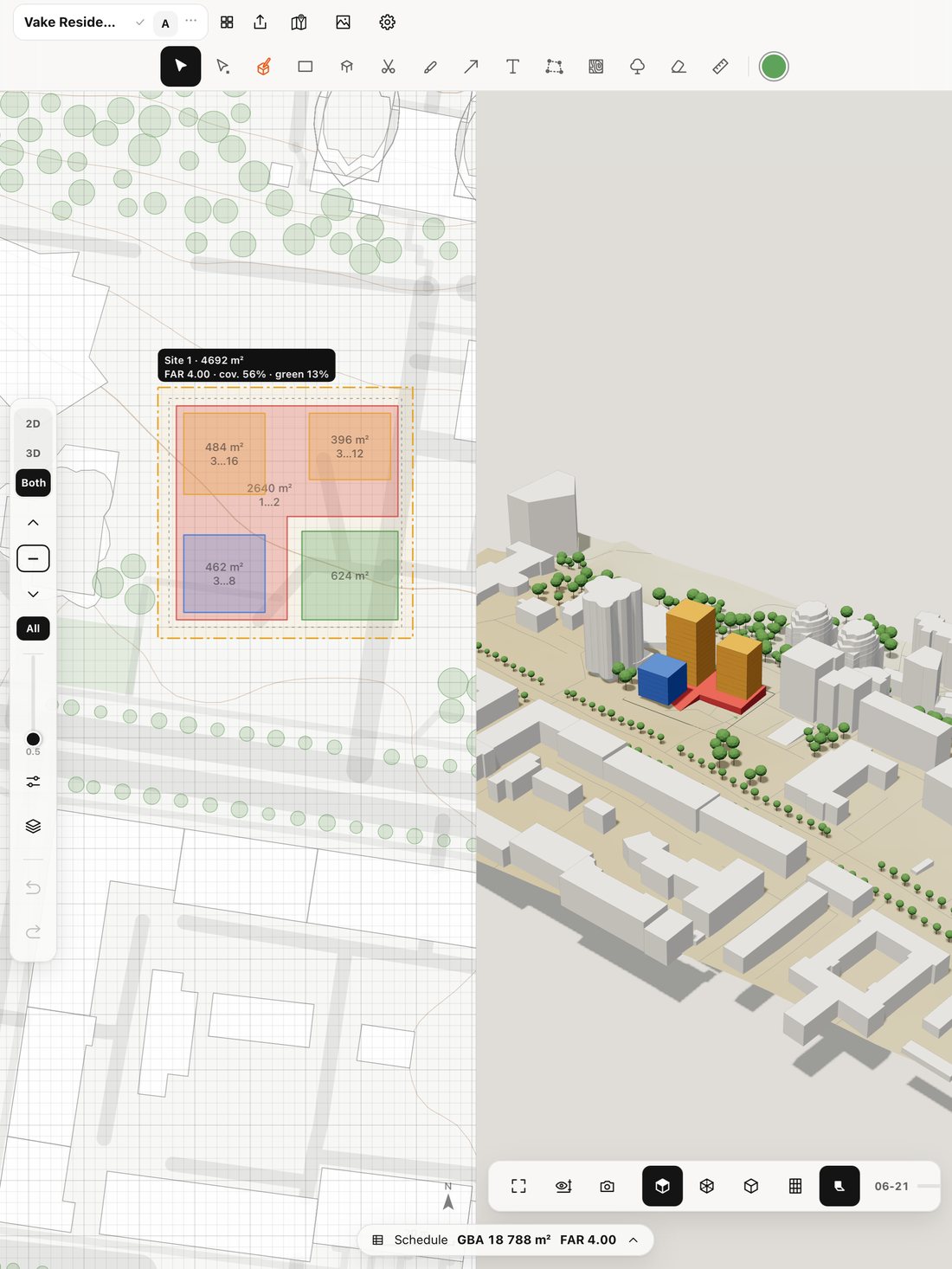
Draw like on tracing paper
Outline a footprint and the stroke becomes a clean shape while the volume appears in 3D. Hold the pencil to square every corner. Snaps to neighbours, edges and perpendiculars — no gaps.
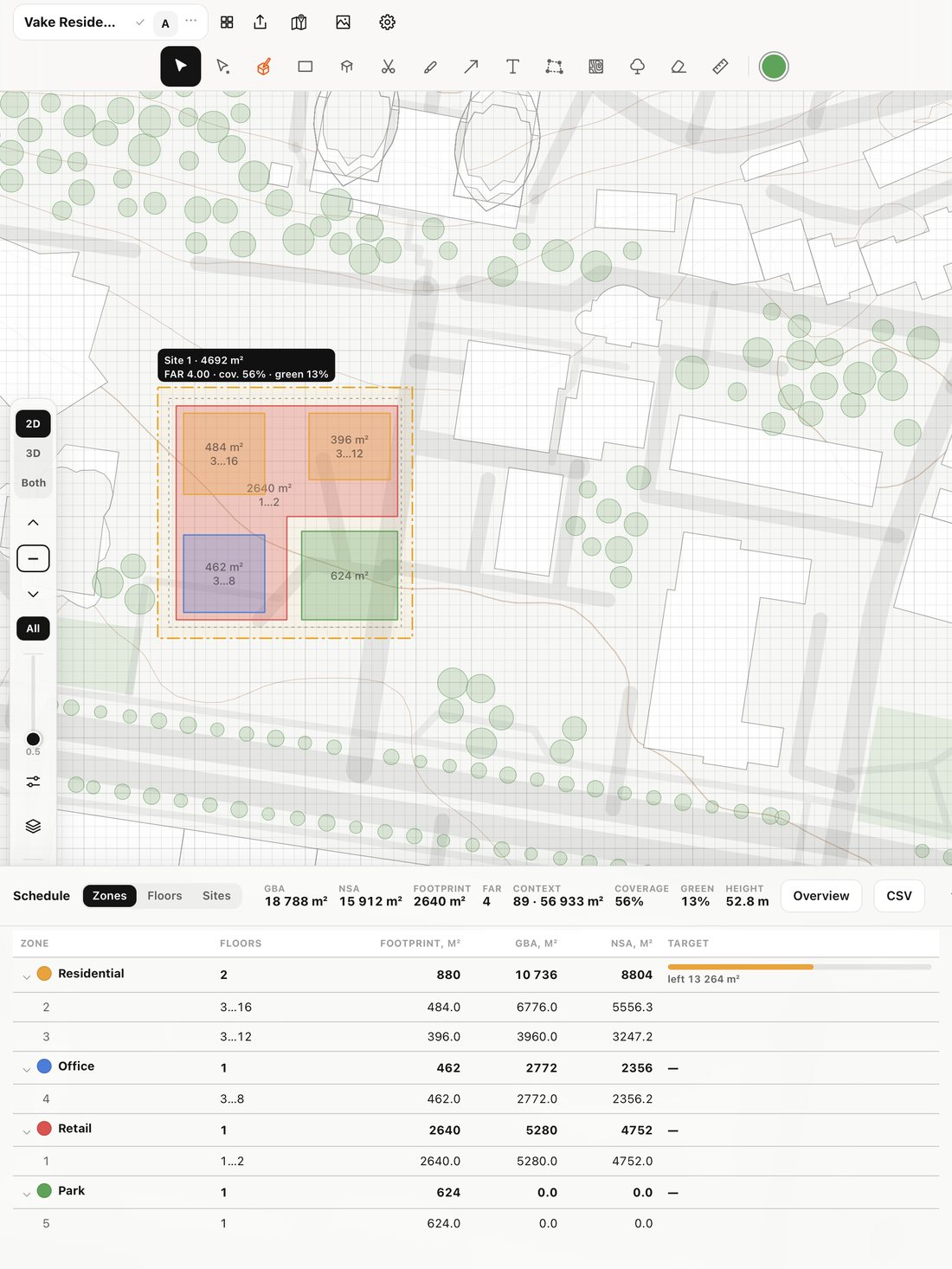
Area schedules, live
Zones with target areas, floors, basements and setbacks. GFA, net area, FAR, site coverage and green ratio update as you draw.
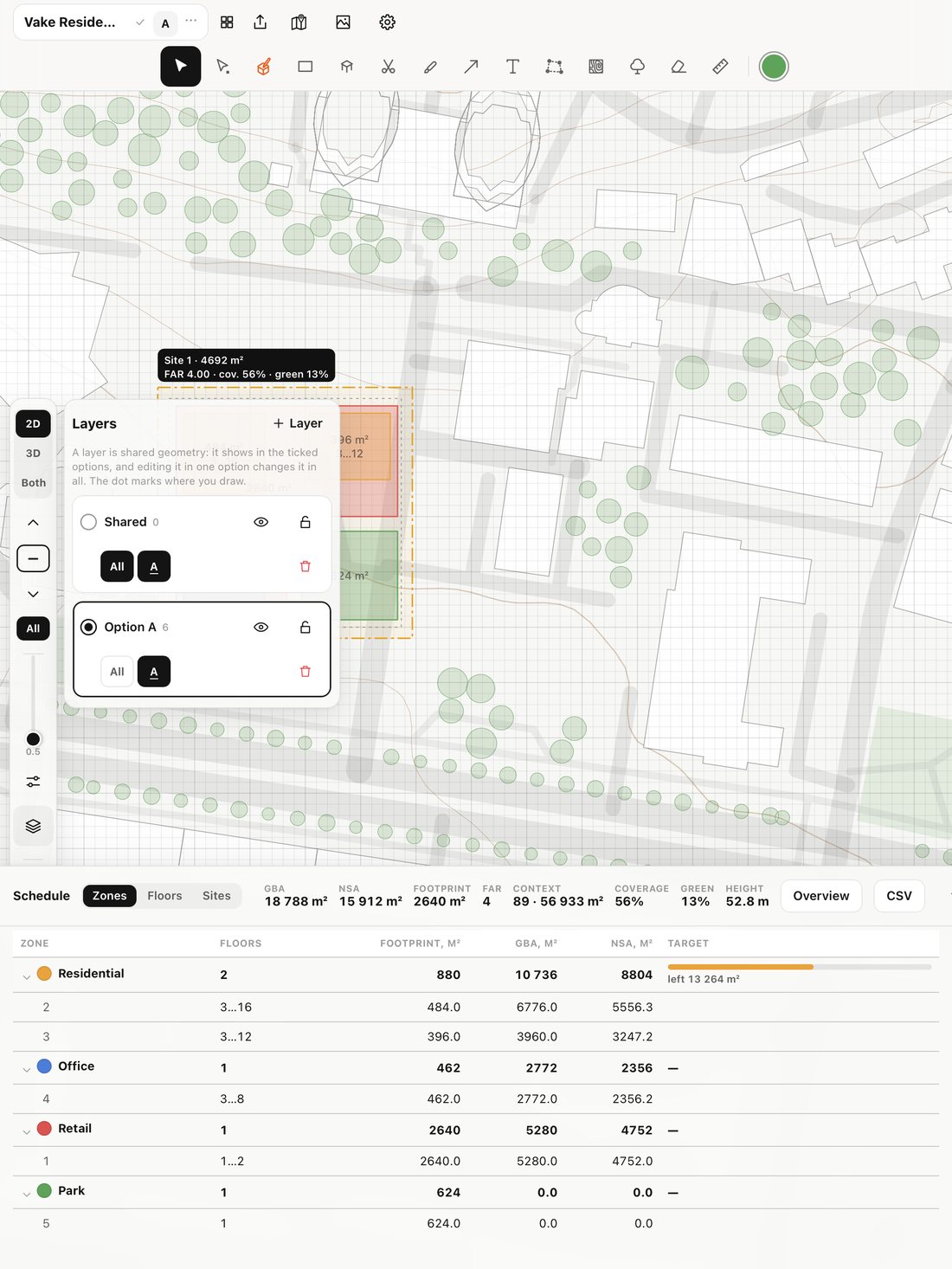
The city around your site
Pick a site on the map to load surrounding buildings, trees, roads and terrain. Shared-geometry layers and design options to compare alternatives.
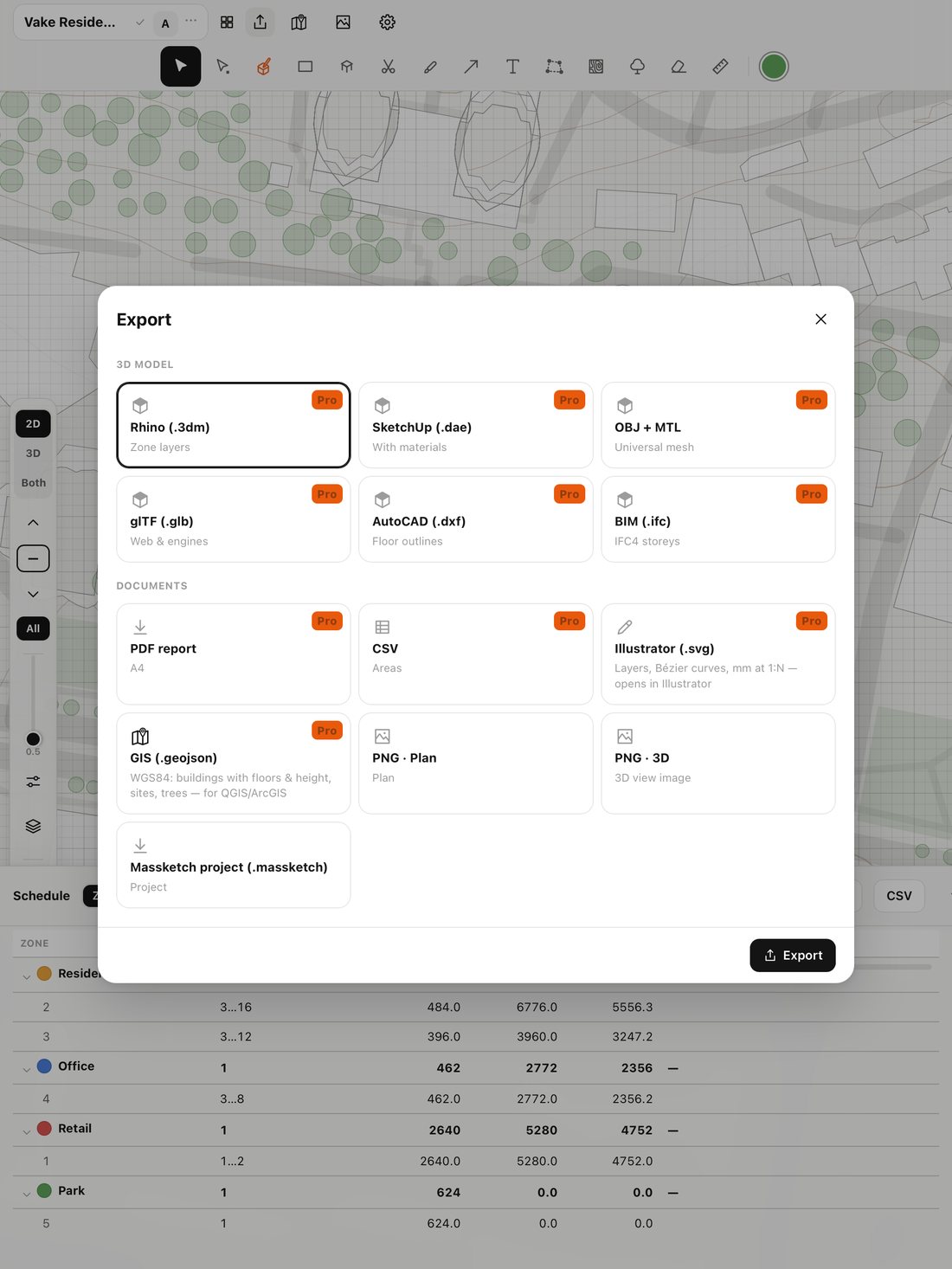
Export to your tools
Rhino (.3dm) with exact NURBS volumes, AutoCAD, SketchUp, IFC, Illustrator with layers and true scale, GeoJSON for GIS and a PDF report.
Your projects stay yours
No sign-up, no ads, no analytics. Projects save automatically on your iPad and appear as .massketch files in the Files app — share via AirDrop, tap to open.
Start for free
Sketching, 3D and area schedules are free. Pro unlocks export, city context and design options.
Free
- Apple Pencil sketching and recognition
- 3D view, zones and area schedules
- Sites with setbacks
- PNG of the plan and 3D
- Up to two projects
Massketch Pro
- Everything in Free
- Rhino, AutoCAD, IFC, SketchUp, OBJ, glTF
- Illustrator, GeoJSON and PDF report
- City context: buildings, terrain, imagery
- Options and layers, unlimited projects
US prices; the App Store shows local prices elsewhere. The subscription renews automatically; cancel any time in your Apple ID settings.
Questions
Which iPads are supported?
iPad with iPadOS 15 or later. Apple Pencil is recommended, but you can draw with a finger too.
Do I need the internet?
Sketching, 3D, area schedules and export work offline. The map, place search and city context need a connection.
How do I open the model in Rhino?
Export → Rhino (.3dm). Volumes are NURBS solids with courtyards; facades and trees are on separate layers. Opens in Rhino 7 and 8.
Where are projects stored?
Only on your iPad: in the app and as .massketch files in Files → On My iPad → Massketch.